
Preferences
Most of the ways you can make Trackli work for you are in one place. Open your account menu (your avatar at the bottom of the sidebar, or behind your avatar on a phone) and choose Settings, then Preferences.
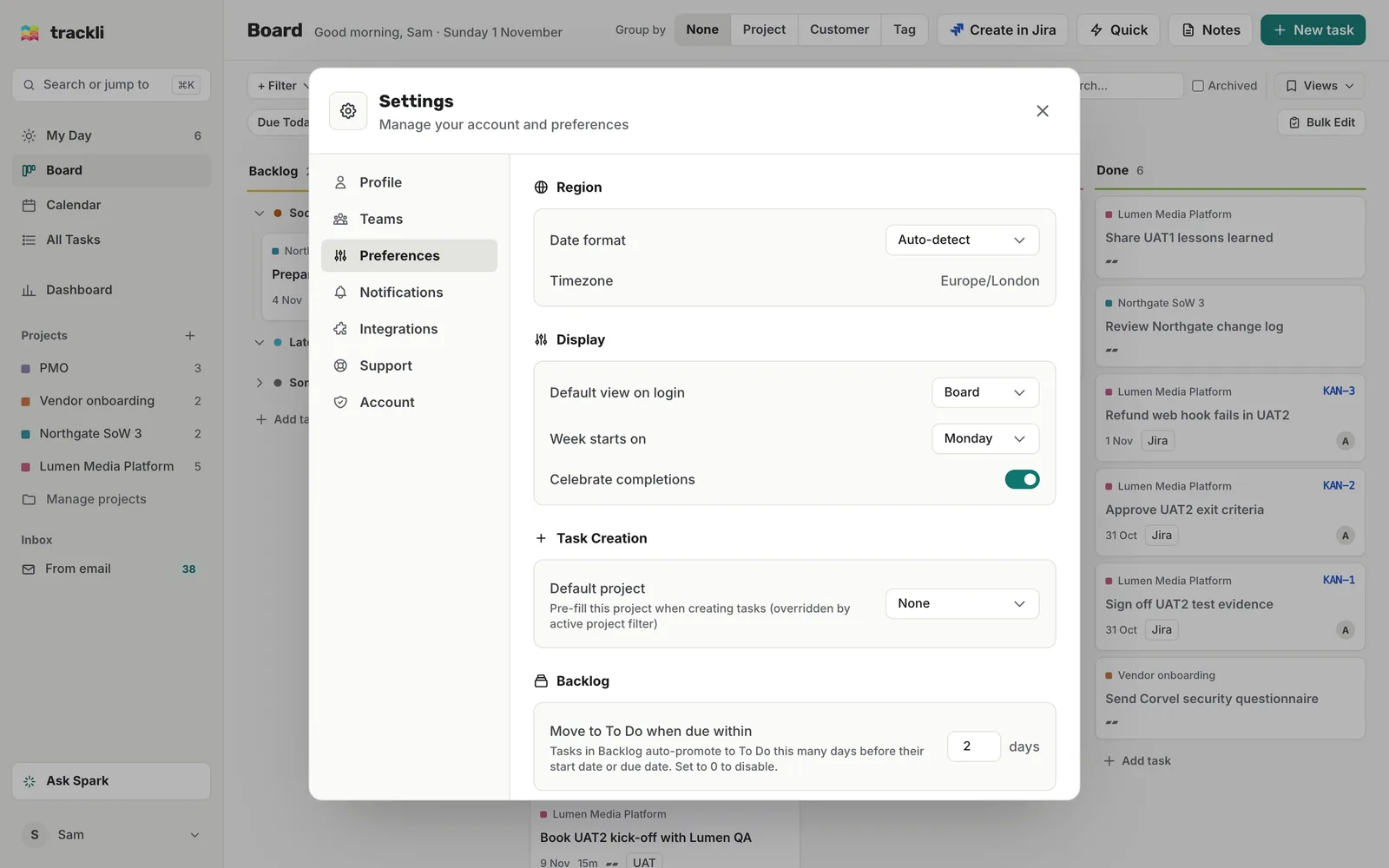
Region
- Date format: Auto-detect, DD/MM/YYYY or MM/DD/YYYY. Auto-detect follows your browser's language.
- Timezone: shown for information. Trackli uses your device's time zone.
Display
- Default view on login: the view Trackli opens on. Choose Board, My Day, Calendar, All Tasks or Projects.
- Week starts on: Sunday or Monday. This changes the calendar and the date picker.
- Celebrate completions: a small celebration when you finish a task. Turn it off if you'd rather not.
- Show the Getting set up checklist: brings back the setup checklist if you hid it. You'll only see this while the checklist can still show.
Task Creation
- Default project: the project new tasks go into, unless you're filtering by a project at the time. See Your default project.
Backlog
- Move to To Do when due within: tasks in Backlog move to To Do this many days before their start or due date. Pick up to 14 days, or 0 to turn it off.
- Backlog review reminder: how often Trackli prompts you to look over old Someday items. Weekly, Fortnightly, Monthly or Off.
Task Cleanup
- Auto-archive completed tasks after: done tasks are archived after 7, 14, 30, 60 or 90 days, or Never. Archived tasks are hidden but you can bring them back.
- Permanently delete archived tasks after: archived tasks are deleted for good after 30, 60, 90 or 180 days, 1 year, or Never. Deleted tasks can't be recovered, so pick this one carefully.
- Hide Done column on board: removes the Done column so the board only shows work still to do. This applies to the board on a computer. On a phone the status tabs still list all four.
- Show subtasks as cards: shows unfinished subtasks next to tasks on the board, in My Day and in All Tasks.
Dark mode
Dark mode isn't in Settings. Open your account menu and switch Dark mode on or off.
Other settings
- Profile: change your display name.
- Notifications: reminders, the daily digest and product emails. See Notification settings.
- Account: your password and deleting your account.
Tips
- Date format, Default view on login, Week starts on, Celebrate completions, Hide Done column on board and Dark mode are saved in the browser you set them in. If you use Trackli on a second computer or your phone, set them there too.
- Changes save straight away. There's no Save button.