
All Tasks
All Tasks lists every task you have in a table, across all your projects. It's the best place to sort, scan and tidy up in bulk. Open it from All Tasks in the sidebar, or the bottom bar on a phone.
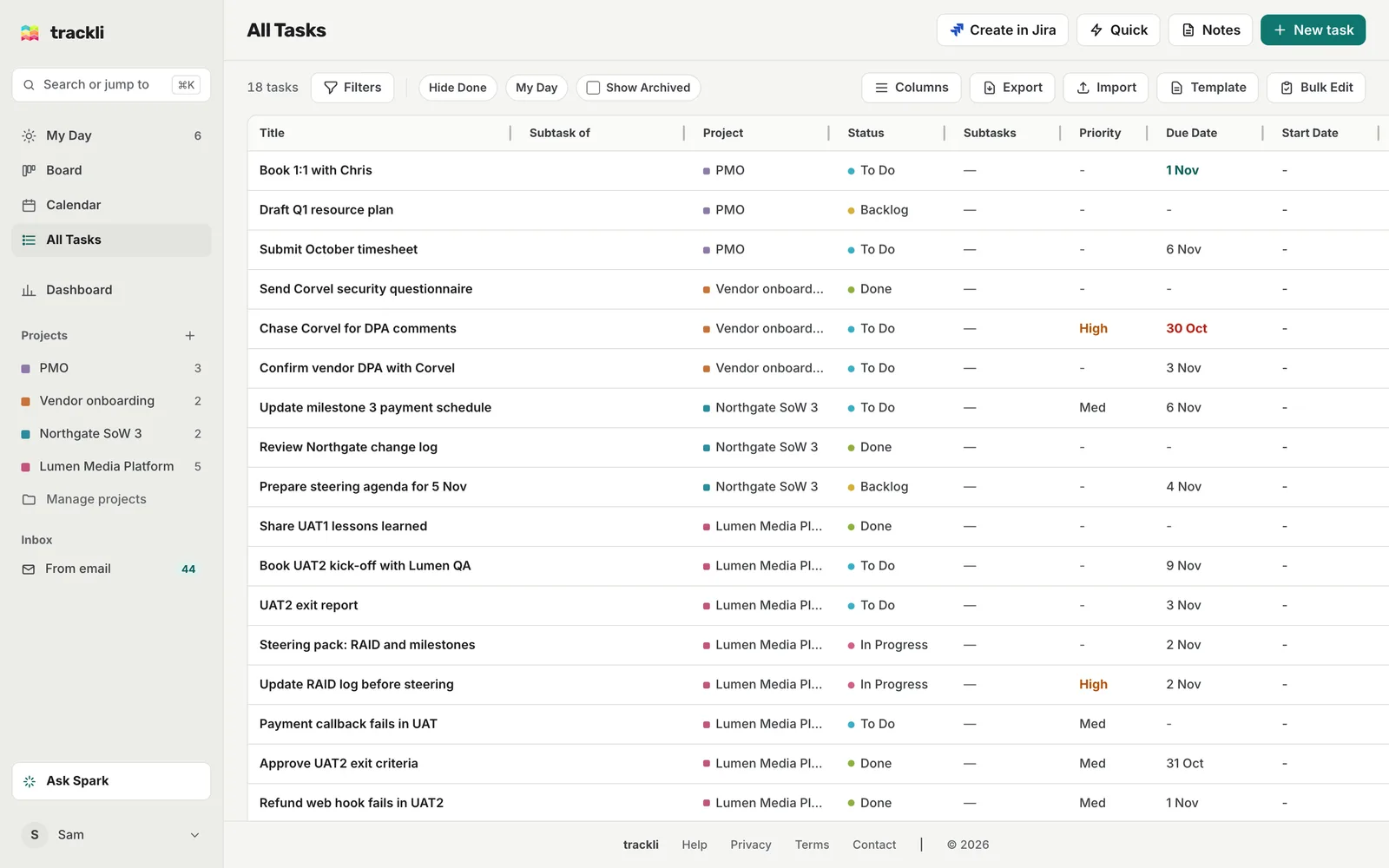
Sort and arrange the table
- Sort: click a column heading to sort by it, and click again to reverse. Hold Shift and click another heading to sort by that as well, for example by Project and then by Due Date.
- Resize: drag the right edge of a column heading.
- Reorder: drag a column heading to a new spot.
- Show or hide columns: choose Columns and tick the ones you want. Reset to defaults puts everything back. Title and Status are always shown.
The columns are Title, Subtask of, Project, Status, Subtasks, Priority, Due Date, Start Date, Assignee, Customer, Tags, Effort, Est. Time and Created. Trackli remembers how you've set them up on that device.
Click a row to open the task.
Filter
Two quick toggles sit in the toolbar:
- Hide Done hides finished tasks
- My Day shows only what's on today's list
For anything else, choose Filters to open a filter under each column. Type in Title to search, or pick values for Status, Project, Priority and the rest. You can tick more than one status, like To Do and In Progress together. Clear removes them all.
Show Archived includes tasks from archived projects too.
Export to CSV
Choose Export to download the tasks you can see as a CSV file you can open in Excel or Google Sheets. It exports what's showing, so filter first if you only want some. Say you filter Project to Vendor onboarding and turn on Hide Done. The export then holds just the open Corvel work.
The file includes the title, project, status, priority, dates, assignee, customer, effort, tags, time estimate and description.
Import and Template let you bring tasks in from a CSV file. See Import from other apps.
Bulk edit
Choose Bulk Edit, tick the tasks you want, then use Move to... to change their status, or Delete to remove them.
On a phone
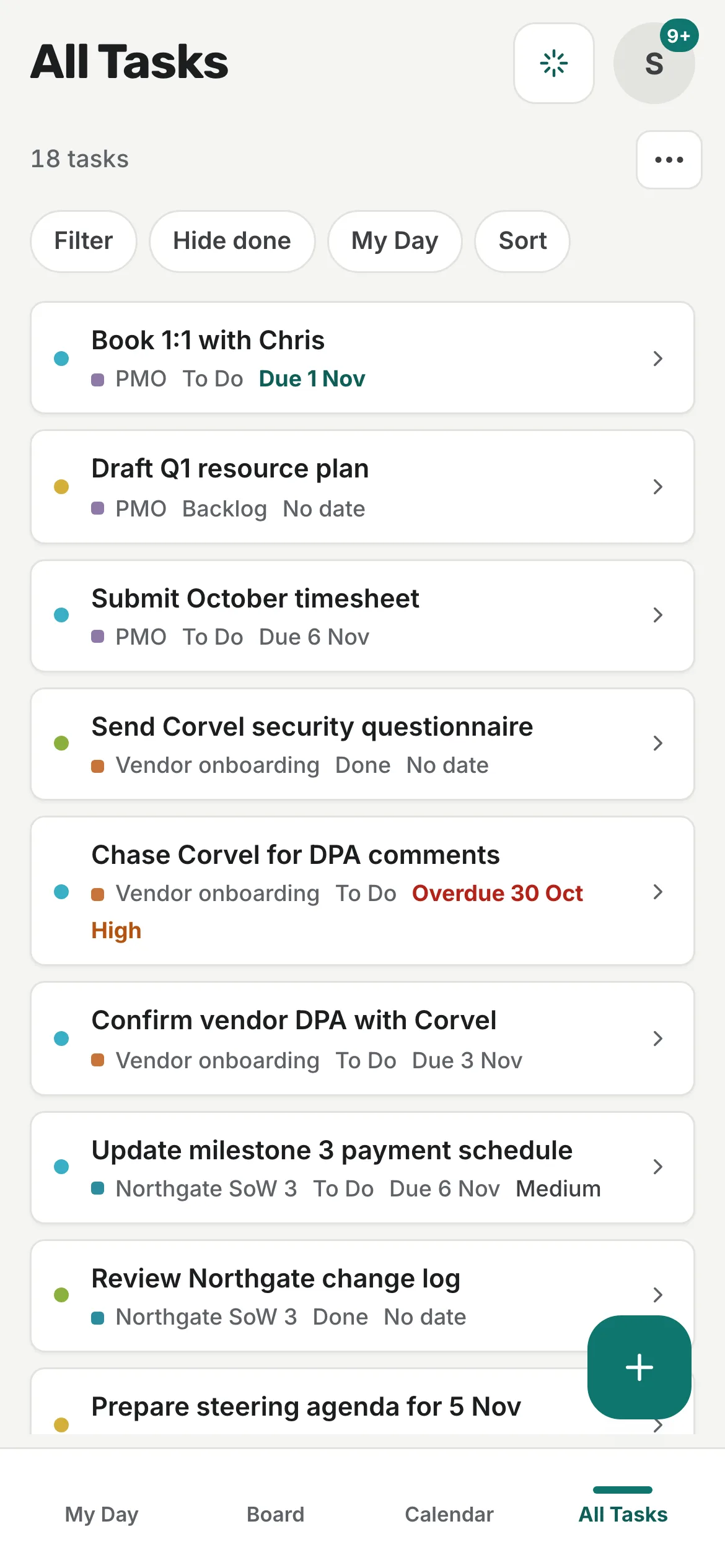
All Tasks shows a list of cards instead of the table. The chips along the top give you Filter, Hide done, My Day and a sort menu (Due date, Priority, Status, Project, Title or Recently updated). The three dots hold Columns, Export CSV, Import CSV, Bulk edit and Show archived. In bulk edit, tap cards to select them.
Tips
- Clicking a project in the sidebar filters All Tasks to that project, which is a quick way to export one project.
- There's no full account export yet. A CSV from All Tasks is the way to take your tasks out of Trackli.